FR-466Dƒ/2 · 1/500 · ISO 400Roll /ai-imaging
Apple Photos gains AI editing and shared albums in iOS 27
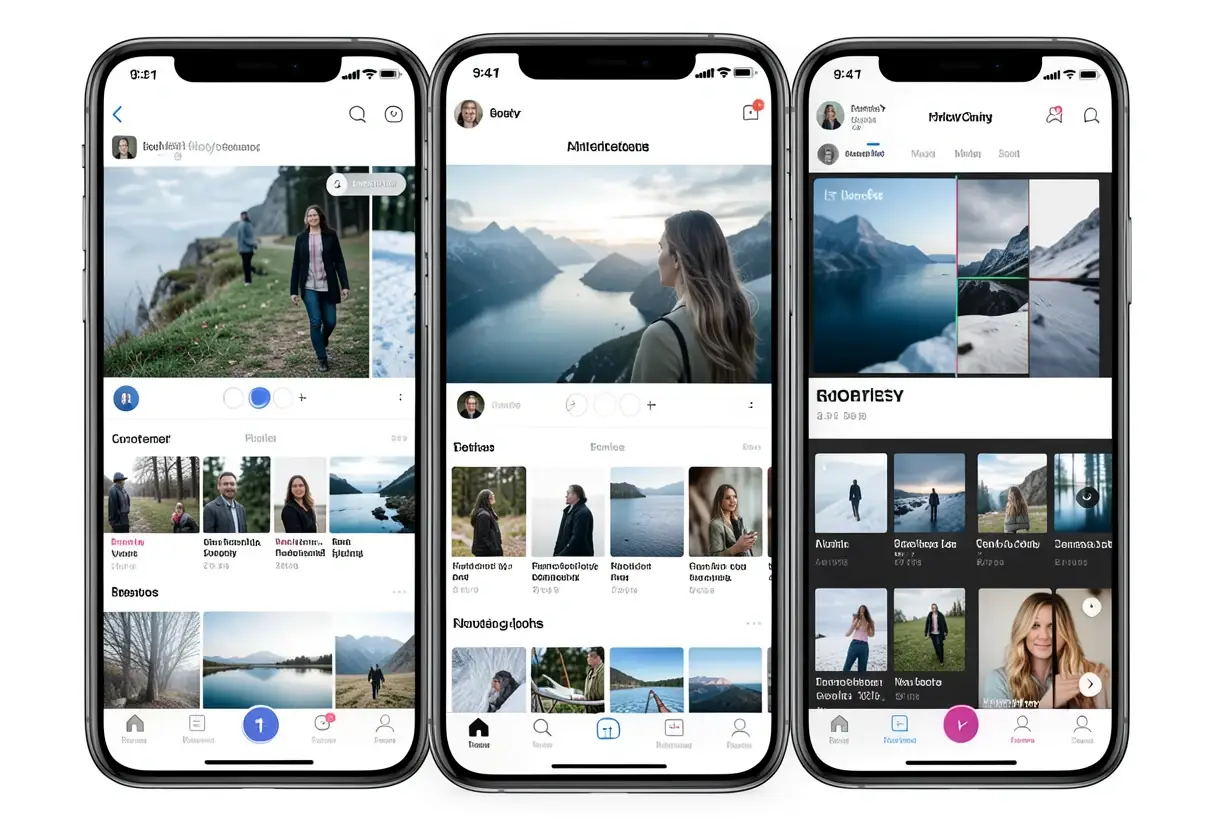
iOS 27 adds Extend, Reframe and upgraded Clean Up to Apple Photos, plus full-resolution shared albums, new library collections and customizable slideshow exports.
Processing notes
- iOS 27 adds Extend, Reframe and an upgraded Clean Up to Photos, powered by Apple Intelligence.
- Clean Up debuted in iOS 18; the iOS 27 version promises better removal quality and realistic infill.
- Six iCloud Shared Album additions cover full-resolution media, Windows and Android, emoji reactions, easier saving, expiration and participant permissions.
- Two Utilities collections, Captured by Me and Identity Documents, filter by capture origin and surface reference documents.
- Slideshows gain custom transitions, per-show and per-photo durations, and one-tap video saving.
By Nathan Brooks
Apple’s iOS 27 adds three image-editing tools—Extend, Reframe and an upgraded Clean Up—to Photos, alongside expanded shared albums and customizable slideshows. The announcement lists features, not a release date, eligible iPhone models or rollout schedule, so availability and hardware requirements remain open questions.
Siri AI is the biggest highlight of Apple’s wider release, which also brings changes to Messages, Notes and Wallet. For photographers, the Photos additions target post-capture cleanup, client distribution and library organization.
What does iOS 27 change for photographers?
Editing after capture
Apple says Apple Intelligence powers Extend, Reframe and Clean Up. Extend can “give their subjects more breathing room,” according to Apple. It can straighten a crooked horizon without cropping out important material, adjust aspect ratio, and fill missing portions of the frame.
Reframe changes a photograph’s perspective. Users can touch and drag an image, previewing in real time how the view shifts as if they had repositioned the camera in the original scene. Apple credits Apple Vision Pro’s spatial models for that understanding and says it generates new content only where perspective shifts, keeping the rest consistent with the original.
Apple does not say whether Vision Pro hardware is required for Reframe.
Clean Up, introduced in iOS 18, receives what Apple calls a “major upgrade.” The company promises better removal quality and more realistic infill, even in complex scenes. The description offers no measurements for either improvement.
For paid assignments, Extend and Reframe can shorten horizon and framing corrections after capture. The tradeoff is synthetic content outside the recorded frame. Neither tool’s description explains how Apple marks generated regions, compares them with the original, or behaves when its models cannot produce a plausible fill.
That leaves limited assurance for documentary, property or evidence work, where showing an altered scene without disclosure could undermine trust. The announcement supplies no RAW, colour-management, metadata or batch-processing specifications, so studios should treat these as individual-image editing aids rather than a documented production workflow.
Shared albums and client delivery
Apple says iCloud Shared Albums receive their first major upgrades in years. The additions cover media quality, cross-platform access, feedback and administration:
- Full-resolution photos and videos.
- Shared Albums on Windows and Android.
- Reactions with any emoji.
- Easier saving of shared photos.
- Expiration settings for Shared Albums.
- Additional participant permissions.
For studios, the combination could support higher-resolution client reviews and family-event delivery. Emoji reactions give clients a lighter selection method, while expiration and participant permissions can control who sees a set and for how long.
The announcement suggests the timing suits Apple’s new HomeView product and describes Shared Albums as well suited to it, without explaining an integration. It gives no storage caps, participant limits, export controls, fee details, or supported Windows and Android versions, leaving the practical limits of full-resolution sharing unresolved.
Library organization and slideshows
iOS 27 adds two collections under Utilities. “Captured by Me” contains only photos the user took, excluding screenshots and photos saved from others. “Identity Documents” scans the library for images containing reference documents, including driver’s licenses and passports.
Apple also mentions album organization improvements without specifics. Users can scroll up on an individual photo and use an “Add Keywords” option near the bottom; captions remain available. For working photographers, that improves search inside Photos, although the announcement says nothing about keyword synchronization or external catalog compatibility.
Automatic slideshows previously could not be customized. In iOS 27, users can choose transition types and set custom lengths for the full show and for individual photos. Apple also adds one-tap saving of any slideshow as a video.
That shortcut could accelerate delivery of a family slideshow, event recap or review sequence. However, no output resolution, frame rate, file size, watermarking or colour-management detail accompanies the feature, so studios cannot judge from the announcement whether the exported file meets client delivery specifications.
A workflow addition, not a replacement
Apple makes no major design change to Photos, and the interface remains in the post-iOS 18 era. The release expands functions instead of replacing them.
For working photographers, the practical payoff depends on release timing, hardware support and transparent output limits. The next proof point is consistent output across real client libraries once Apple specifies those details.
via 9to5mac.com (Source)
More from Nathan Brooks
Show full bio
Correspondent covering regulation, policy and their impact on professional photography industry at Photo Trade Wire.
110 articles