FR-6F5Aƒ/8 · 1/500 · ISO 400Roll /photo-software
Citus Camera Ships 28 Live iPhone Looks With One-Time Pricing
Citus Camera launched October 20, 2026, with live film looks, on-device processing and no subscription. Its $14.99 Pro tier faces pricing ambiguity and an undated effects update.
Processing notes
- Citus Camera launched October 20, 2026 after five months of solo development by Tel Aviv photographer Leon Yakobov.
- The app offers 28 looks: 10 Citus, 6 Film Stock, 6 Cinema and 6 Mono; only Film Stock uses scanned real-roll measurements.
- Citus Pro costs $14.99 once; Film Stock, Cinema and Mono packs cost $4.99 each, with no subscription.
- Citus requires iOS 16.6 or later; 48 MP and ProRAW capture require iPhone 14 Pro or later.
- A free film-lab update is built but undated, and Android support is not coming soon.
By Tom Whitfield — October 26, 2026
What changes at capture?
Citus Camera reached the App Store on October 20, 2026, offering three free looks and a $14.99 one-time Pro tier with no recurring subscription. Leon Yakobov, a commercial photographer from Tel Aviv, built the app alone in five months, from his first line of code in May 2026 to launch.
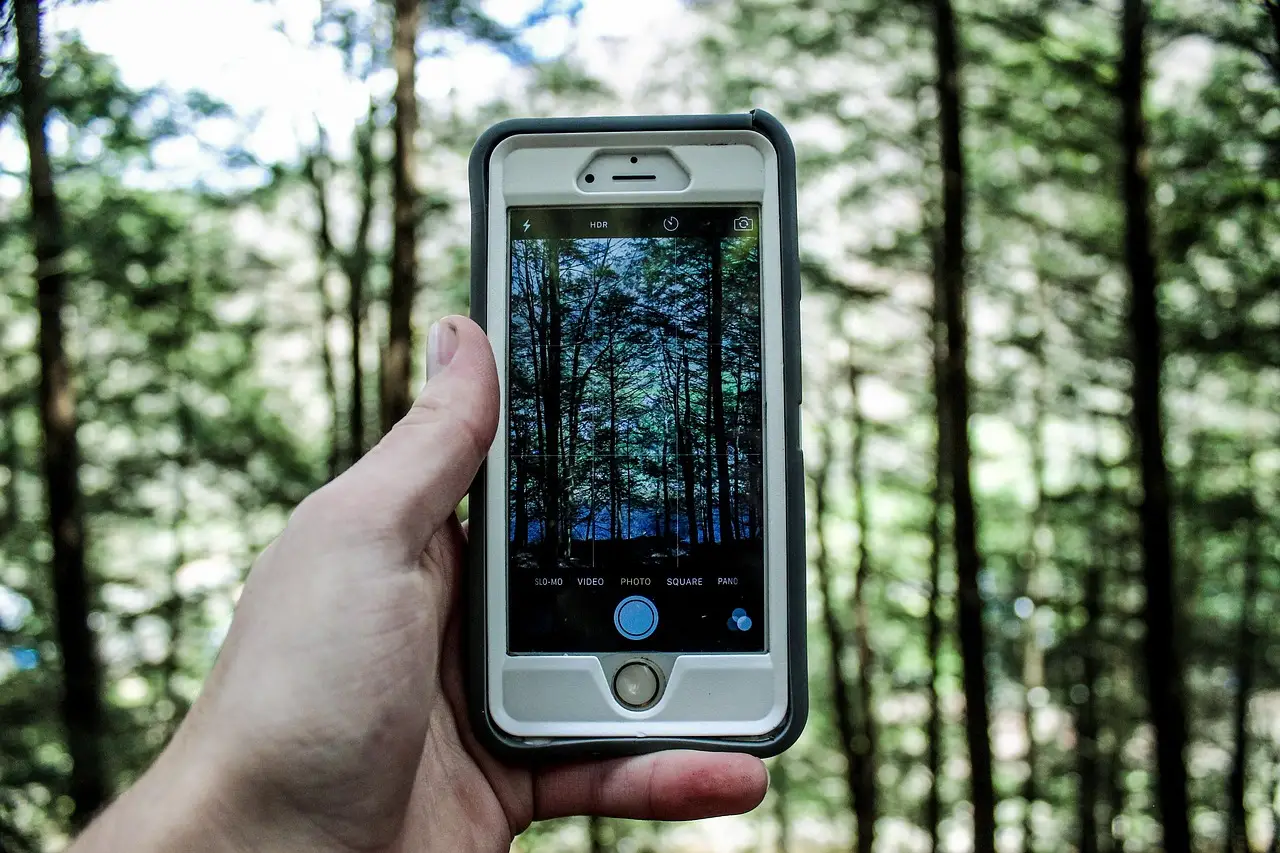
The app renders its film looks in the iPhone viewfinder, including grain during capture rather than adding a preset afterward. Yakobov says phone photos had been sharp and correct but felt empty; he wanted his film cameras’ character without faking it, which led him to measure rather than guess.
Live controls cover tone, clarity, structure, saturation, vignette, fringe, black-and-white and white-balance presets with a lock. For paid assignments, the live preview can expose a styling mismatch before the shutter and potentially reduce reshoots; no test data establishes that outcome.
Citus runs all processing on the phone without generative or AI processing, requires no account, and says photos never leave the device. It collects anonymous feature-usage data, which users can disable in Settings. That arrangement suits unpublished client work, although an analytics opt-out does not replace a written policy defining what “on-device” covers.
Every capture stores its complete recipe in EXIF data: selected look, grain and every setting. Photographers can reopen a recipe, save it under their own name and share it with other photographers. Yakobov treats the file-based recipe as a conversation between photographers, not a secret look. No test shows whether other editing software preserves Citus metadata.
“When the look is there while you compose, you shoot differently,” Yakobov said. He added that photographers should make a photograph, not a file to fix later. That remains a workflow judgment, not measured productivity.
Citus supports iPhones on iOS 16.6 or later and runs in English only. Capture at 48 MP and ProRAW in DNG works on iPhone 14 Pro and later. The announcement also says Citus received a nomination among the autumn’s top new apps, but names no nominating organization or shortlist, so the distinction offers limited reassurance.
In plain terms, Citus changes the capture, not just the edit.
How much of the film claim is measured?
Citus ships with 28 looks across four sets:
- Citus: 10 looks, graded by eye.
- Film Stock: 6 looks, each based on a scanned real roll.
- Cinema: 6 looks, graded by eye.
- Mono: 6 looks, graded by eye.
In Film Stock, Yakobov scans each real roll and measures color and skin rendering, where highlights roll off, and how grain behaves in shadows compared with highlights.
The other 22 looks are graded by eye. The reviewer calls Yakobov a seasoned film photographer and prefers his eye to that of a digital-only shooter, but the announcement provides no repeatable calibration figures for those sets. A photographer may like that look, though “graded by eye” supplies no objective benchmark for matching a client’s expected skin tone.
Yakobov has made his method public, inviting scrutiny rather than asking buyers to accept a mood as measurement. “You can argue with a measurement. You cannot argue with a mood,” he said.
“Measured” identifies the origin of the six looks, but the announcement provides no independent lab test or side-by-side RAW evidence. That distinction matters when clients compare skin tones or highlight recovery.
The bottom line: six looks have measured film origins; 22 depend on Yakobov’s eye.
What does the one-time pricing include?
- Free download: the full camera plus FROST, AMBER and LINEN looks.
- Citus Pro, $14.99 once: every look, all film controls, 48 MP, ProRAW and unlimited recipes.
- Film Stock, Cinema and Mono packs: $4.99 each, also one-time purchases.
Check the cart. The announcement says Pro unlocks “every look” but separately prices those three packs, leaving unclear whether they are optional alternatives or required add-ons. If all three are required, the total reaches $29.97. No monthly fee appears in the pricing.
Every look previews live before purchase, and Citus offers no free trial. Yakobov argues photographers should own their tools as they do a lens, buying once rather than renting functionality forever. For a working photographer, that removes a subscription line item, yet bundle ambiguity can still complicate agency purchasing or team standardization.
The practical rule: verify the App Store bundle before paying.
What has shipped, and what remains a promise?
Yakobov has already built a “film lab” with diffusion, halation and depth-of-field features for a later free update, but gives no release date. Android support is not coming soon, according to him. The boundary is clear: iPhone photographers can buy a functioning tool now; Android users and the lab update wait.
He does not claim that Citus replaces a film camera, saying instead that he wants to give film’s eye to digital frames film could never afford. The original review calls the app useful for photographers unwilling to commit to film, but pricey as a substitute. A separate website provides further information and sample photos.
Before buying, compare Citus’s skin tones, grain and export workflow against a paid client brief, then verify the one-time bundle price in the App Store. The near-term choice is clear: test Citus on an iPhone now, while treating the free film-lab update and Android version as developments without announced dates.
via leonyakobov.com (Original)
More from Tom Whitfield
Show full bio
Senior reporter covering technology and product news in professional photography industry at Photo Trade Wire.
101 articles