VSCO Ships Studio Pro Desktop on macOS, Priced Against Lightroom
VSCO's Studio Pro Desktop hits macOS with 500-image batch editing and 200-plus presets. It costs $60/year alone or $500/year bundled with CRM, galleries and portfolio tools. Masking, Curves and Erase are still "coming soon."

Processing notes
- VSCO launched Studio Pro Desktop on macOS on Tuesday; iOS version launched earlier this year, no Windows or Android yet
- VSCO One suite costs $500/year; Studio Pro apps alone cost $5/month ($60/year); a limited free tier exists
- Desktop app edits up to 500 images in batch, ships 200+ presets and supports RAW from 20 camera brands
- Masking, Curves and the Erase tool are 'coming soon'; product manager estimates the app covers ~70% of desktop editing needs
- Full Lightroom parity not expected before Q1 2027, per senior product manager Kyle Hale
VSCO's Studio Pro Desktop app landed on macOS Tuesday, giving the San Francisco company its first real shot at pulling working photographers away from Adobe Lightroom — at $60 a year for the apps alone, or $500 a year for a full business suite that includes client CRM, contracts and portfolio hosting.
The desktop client follows Studio Pro on iOS, which launched earlier this year. Neither version runs on Android or Windows yet, though the company says ports are planned. That's an immediate limitation for anyone billing clients from a Windows workstation.
What does the desktop app actually do?
VSCO claims the app is built around speed. It loads RAW files quickly, renders previews in real time, supports keyboard shortcuts, and ships with more than 200 presets. RAW support covers 20 camera brands — a spec working shooters should check against their own bodies before switching.
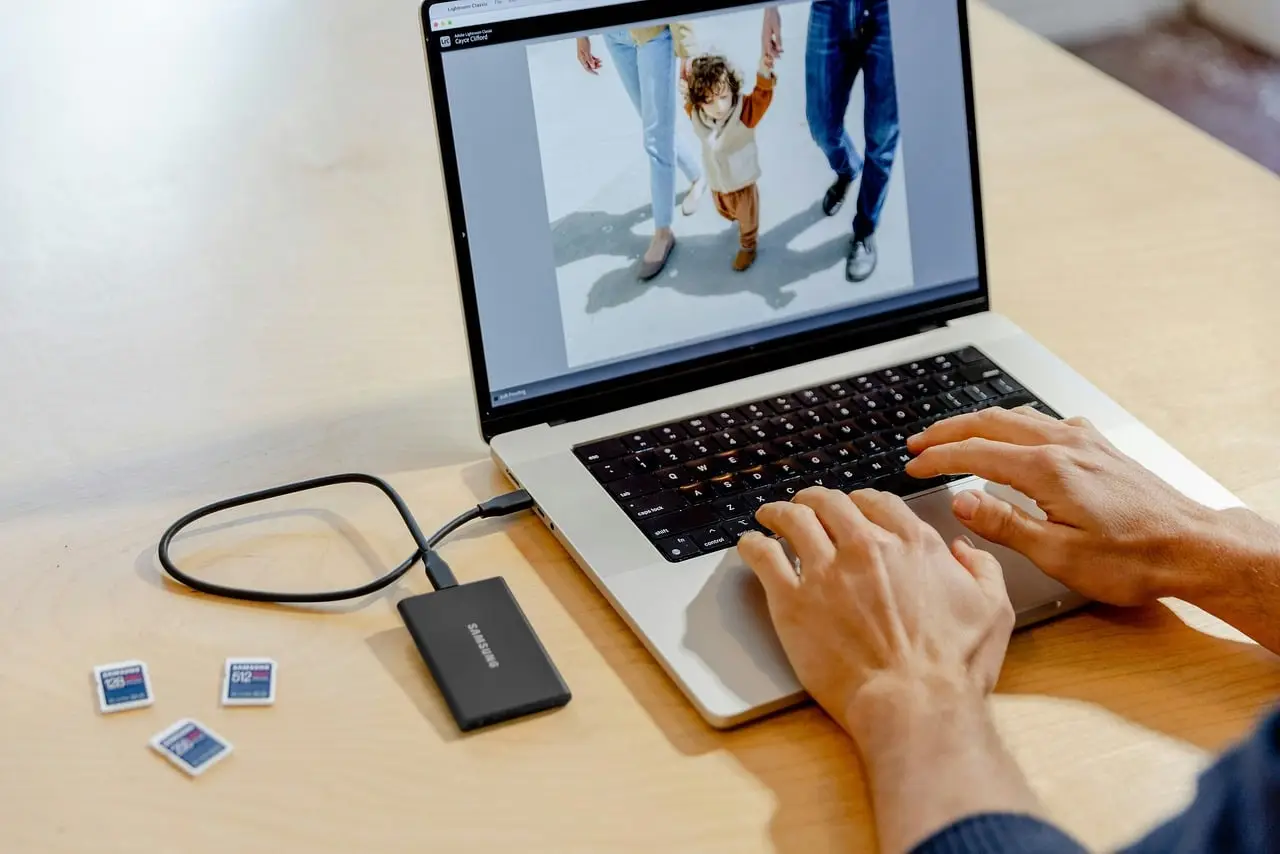
The headline feature is batch editing: up to 500 images edited simultaneously, with original files preserved. For wedding and event photographers culling thousands of frames, that's the workflow number that matters. Finished images export directly to VSCO Galleries, VSCO's client-delivery tool, or anywhere else.
But the feature gap is real. Masking, Curves and the Erase spot-removal tool are all listed as "coming soon." Anyone migrating from Lightroom today gives up three of the most-used retouching tools in professional workflows.
Kyle Hale, VSCO's senior product manager, frames the gap deliberately. "We want to be simple, intentionally, but we want to be powerful with our tools," he says. He pegs the current app at around 70 percent of what people need for desktop editing, with the rest arriving through regular updates. He doesn't expect full parity with Lightroom by the first quarter of 2027 — roughly two and a half years out — but promises Studio Pro Desktop will have "the meat of what those programs offer."
How the pricing stacks up
VSCO has restructured itself as a pro-tools company, with everything in the portfolio launched within the past year:
- VSCO One, $500/year: Studio Pro (mobile and desktop), additional presets, VSCO Workspace (CRM for contracts, booking and scheduling), VSCO Galleries for client delivery, and VSCO Sites, a portfolio website builder aimed at winning new clients.
- VSCO Pro, $5/month ($60/year): Studio Pro mobile and desktop apps only.
- Free tier: available, with some tools locked behind the subscription.
Compare that framing: Adobe's Photography Plan territory is the incumbent benchmark, and VSCO is betting $500 a year is defensible when the bundle replaces editing plus CRM plus portfolio hosting. The consumer VSCO app remains for enthusiasts.
The AI stance as a sales pitch
VSCO is also drawing a hard line on AI training that it hopes photographers will price in. The company uses AI and machine learning in some tools, including the upcoming Erase and retouch functions, and relies on third-party models — including those from Black Forest Labs — under agreements that bar those parties from training on VSCO user data. VSCO says it does not train its own models on anything users post to the app.
CEO Eric Wittman made the positioning explicit. "I don't think all AI is bad," he says. "But to be very, very clear: Generative AI, or if you're replacing the photographer—like what you're seeing with what Meta is doing, what Adobe's doing, like almost every other company is doing—we are not doing that. We stand by and champion photographers first and foremost, and that's not going to change."
Wittman also framed the strategy as capturing photographers early. "We're helping shape these folks in their formative years," he told WIRED. "We've got to keep giving them more bricks to build upon their own personal, creative journey—not just their creative journey, but also help them build a career."
WIRED's hands-on over several weeks found the app snappy, with fast RAW loading and a strong preset library, though a reviewer coming from Lightroom missed the absent masking and curves tools.
The practical read: Studio Pro Desktop is a credible, fast batch-editing tool at a tenth of the suite's top price, but professionals who depend on masking, curves and spot removal should wait for the promised updates — VSCO's own roadmap says the missing pieces land sometime before Q1 2027.
via wired.com (Source)
More from Nathan Brooks
Show full bio
Correspondent covering regulation, policy and their impact on professional photography industry at Photo Trade Wire.
150 articles